5 TIPS TO SHOOT REAL ESTATE PHOTOGRAPHY LIKE A PRO
Watch our latest video to learn five simple tips that improve your property photos, so you can present a listing better and sell it faster.
According to our co-founder Brad Filliponi, it all comes down to a few easy things you can do to prepare the property before you take the photos, plus a bit of magic from our real estate photography app SnapSnapSnap.
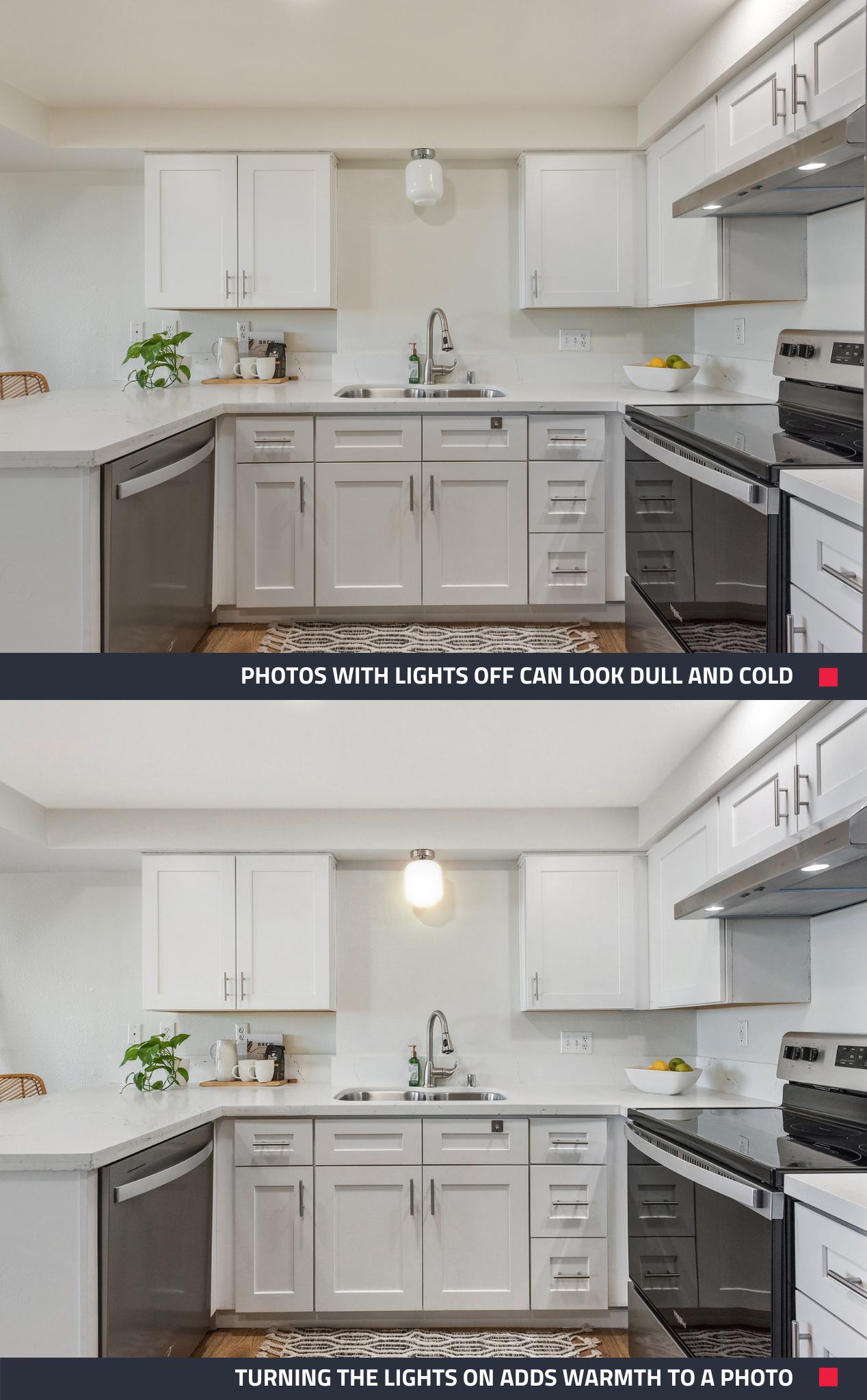
Tip 1: Turn All the Lights On
Don’t underestimate the power of turning on a light switch before you take your photos. This simple action can add a warm and inviting ambiance to a room and greatly enhance the outcome of your photos.
If you look at your photos and see that you forgot to turn on a lamp or two, don't worry! You can still brighten the space, just submit the photos for Image Enhancement editing and select the Turn on Lights optional extra.
Tip 2: Turn off All Ceiling Fans
This tip might be tough to do on a warm summer’s day, but it’s a necessary sacrifice for achieving the perfect shot.
“Leaving the fans on can make your shot look blurry, which is never preferred in real estate,” Brad said.
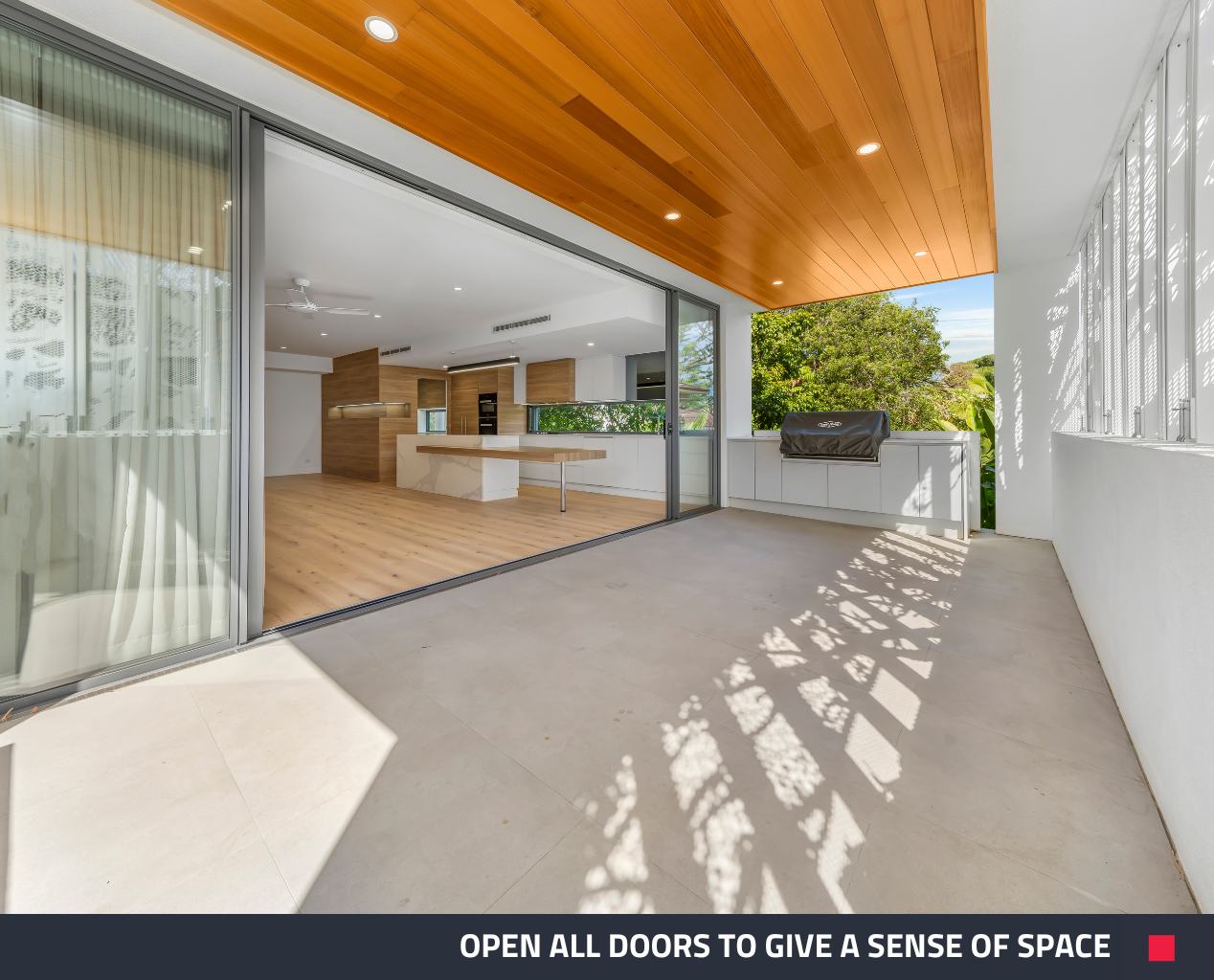
Tip 3: Open All Doors
Simple, yet highly effective. Make sure you open those doors nice and wide on your next photo shoot. It will create an open and spacious feeling while also letting potential buyers get an idea of the home’s layout.
Tip 4: Straighten Furniture and Remove Clutter
There’s nothing worse than seeing a photo of a beautiful kitchen, but dirty dishes on the counter catch your eye. This tip will have you showcasing the space itself and preventing anything else from distracting a potential buyer.
If you happen to miss cleaning up some clutter during the photo shoot, our Item Removal edit has your back. Our editors will digitally remove anything that you don’t want in the shot.
Tip 5: Download SnapSnapSnap
SnapSnapSnap is designed to enhance the way your smartphone takes photos, so there’s no surprise that it’s one of Brad’s tips.
Brad says that the app will automatically have anyone taking professional-quality photos right from the moment you download it.
“It’s super simple, and the results are mind-blowing,” he said.
Sign up to BoxBrownie.com to put your newly improved photography skills to use! We’ll edit your photos at ultra-low prices to elevate them even further.
RELATED ARTICLES

Need to capture stunning rental listing photos but short on time? Discover the secrets to mastering property photography and shoot a property in under six minutes! Learn to make your listings shine with quick, effective techniques that get attention without sacrificing quality. Ideal for property managers on the go!
READ MORE
Want to make any property look bigger and more appealing? Check out this blog for seven super simple photography tips to instantly transform your space. Learn how to capture stunning photos that will attract more buyers or renters!
READ MORE
Worth the upgrade? If you shoot your own listing photos and are thinking about an iPhone upgrade, see how the cameras on the two models measure up while we demonstrate how you can get top-quality imagery for your property listings.
READ MORE
Elevate your listings in our free SnapSnapSnap webinar! Learn to capture stunning property photos using your iPhone, master simple staging tips, and explore our exclusive 4-week bootcamp to boost your photography skills and transform your marketing.
READ MORE
Want to take your real estate photos to the next level? These 10 quick tips from Brad Filipponi will help you capture clean, professional images that stand out and sell faster—whether you’re using a phone or DSLR.
READ MORE
The do's and don'ts of real estate photography! In this article, we explore what sets apart a good shot from a bad shot and what measures you can take to improve your real estate photography.
READ MORE