PHOTOGRAPHY TIPS TO HELP SELL YOUR LISTING
Looking for some quick and easy photography tips to help sell your listing? Well, this article is just for you! We’ve put together 8 simple tips that can be implemented immediately (whether you’re shooting with a smartphone or DSLR)!
1. Turn on interior lights
Always switch on lights when shooting the interior of a property. Having lights on creates a shot that just looks more inviting. Exceptions to the rule include heat lamps in bathrooms as they create a yellowish hue to the shot.
2. Always turn off fans
Always make sure to turn fans OFF! Having a moving object in your shot will create a blurred image which never looks good in real estate photography.
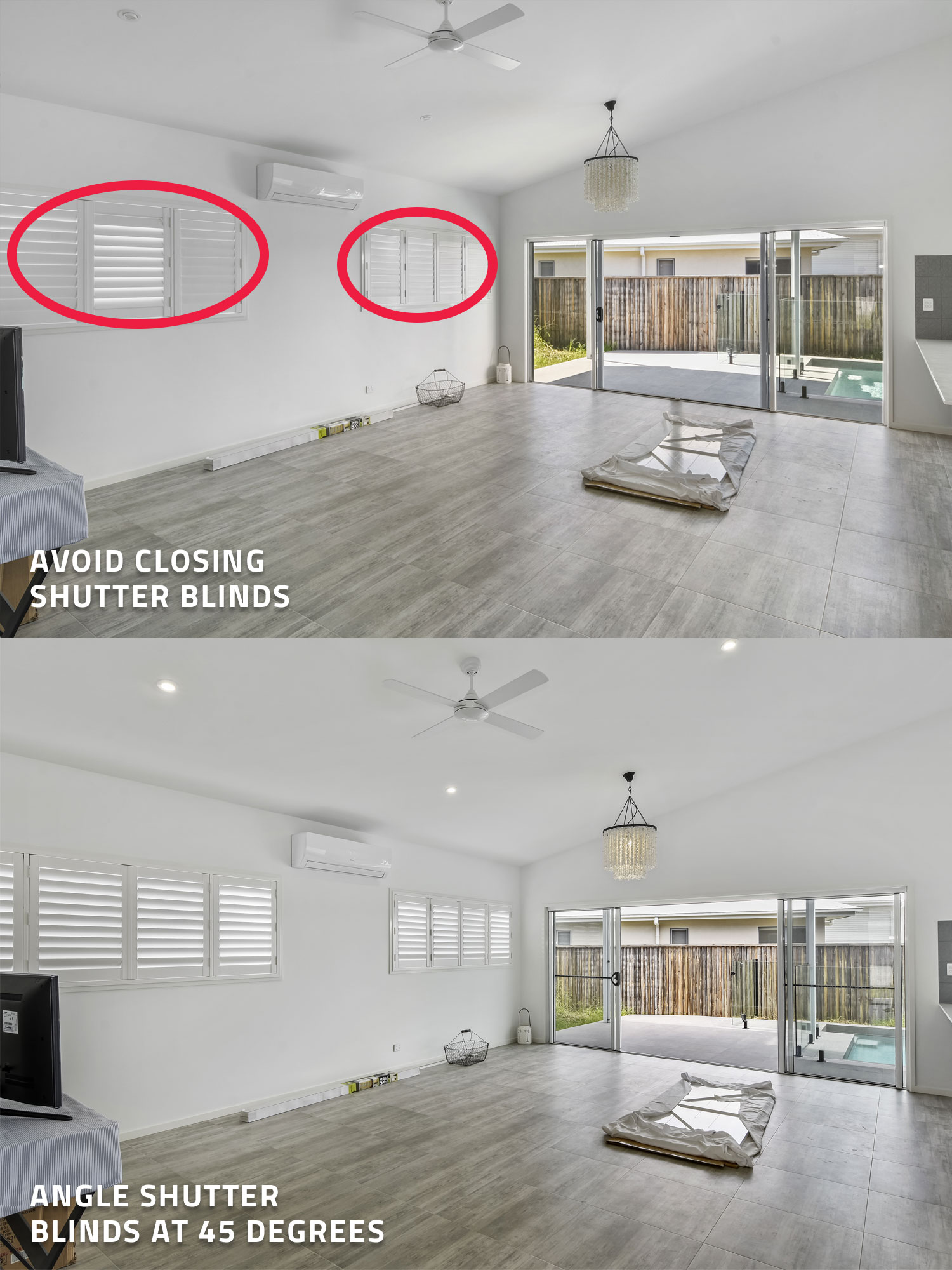
3. Angle shutter blinds at 45 degrees
You should always be mindful of what’s outside your windows. For example, is there a nice view outside? Or can you see the neighbors?
If it’s the latter, you don’t want to fully open your shutter blinds (if your property has them!). It’s just never a good look when you can see the neighbors in your shots. However, if you close the shutters up, then the room becomes too dark, too dull and uninviting. Best thing to do is to angle the shutters at 45 degrees. That way you can’t see the neighbors through the window but you’re still
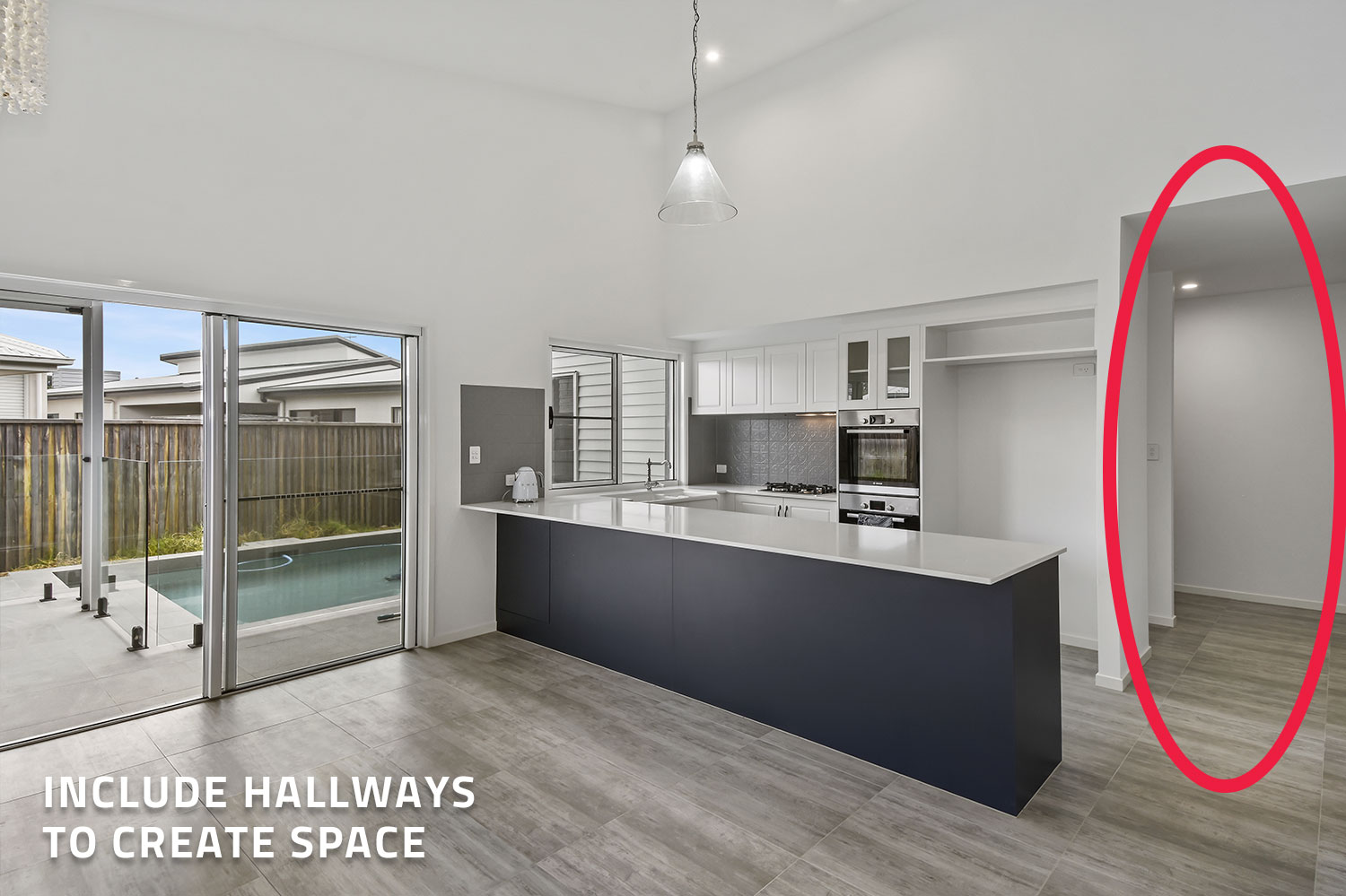
4. Include hallways to create space
It’s always great to include hallways in your kitchen shots (or living shots for that matter). Doing so will create space and make the area look nice and open.
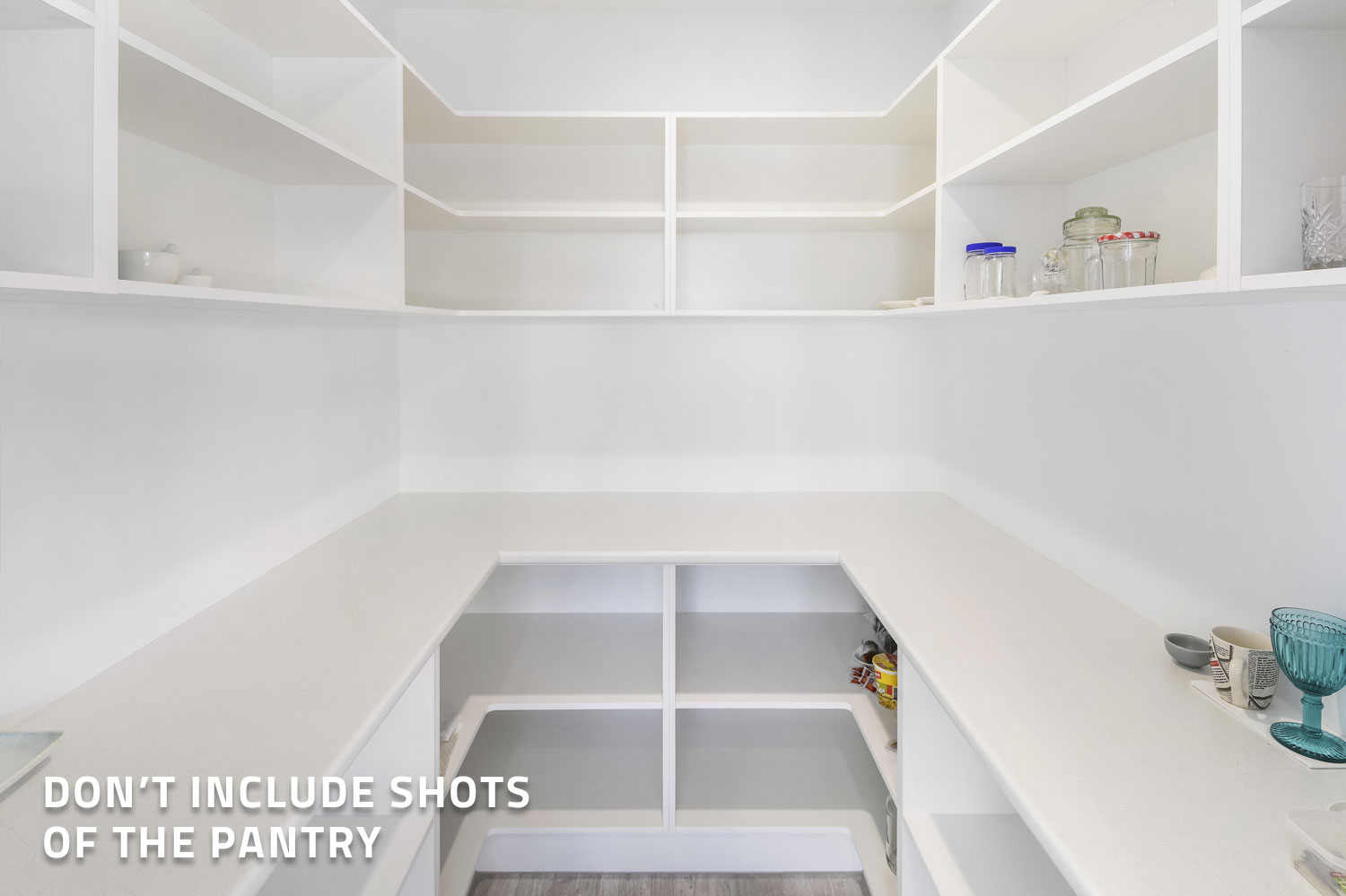
5. Don’t include shots of the pantry
Pantry shots don’t sell properties so don’t include them in your marketing (unless you’re asked to do so by the seller).
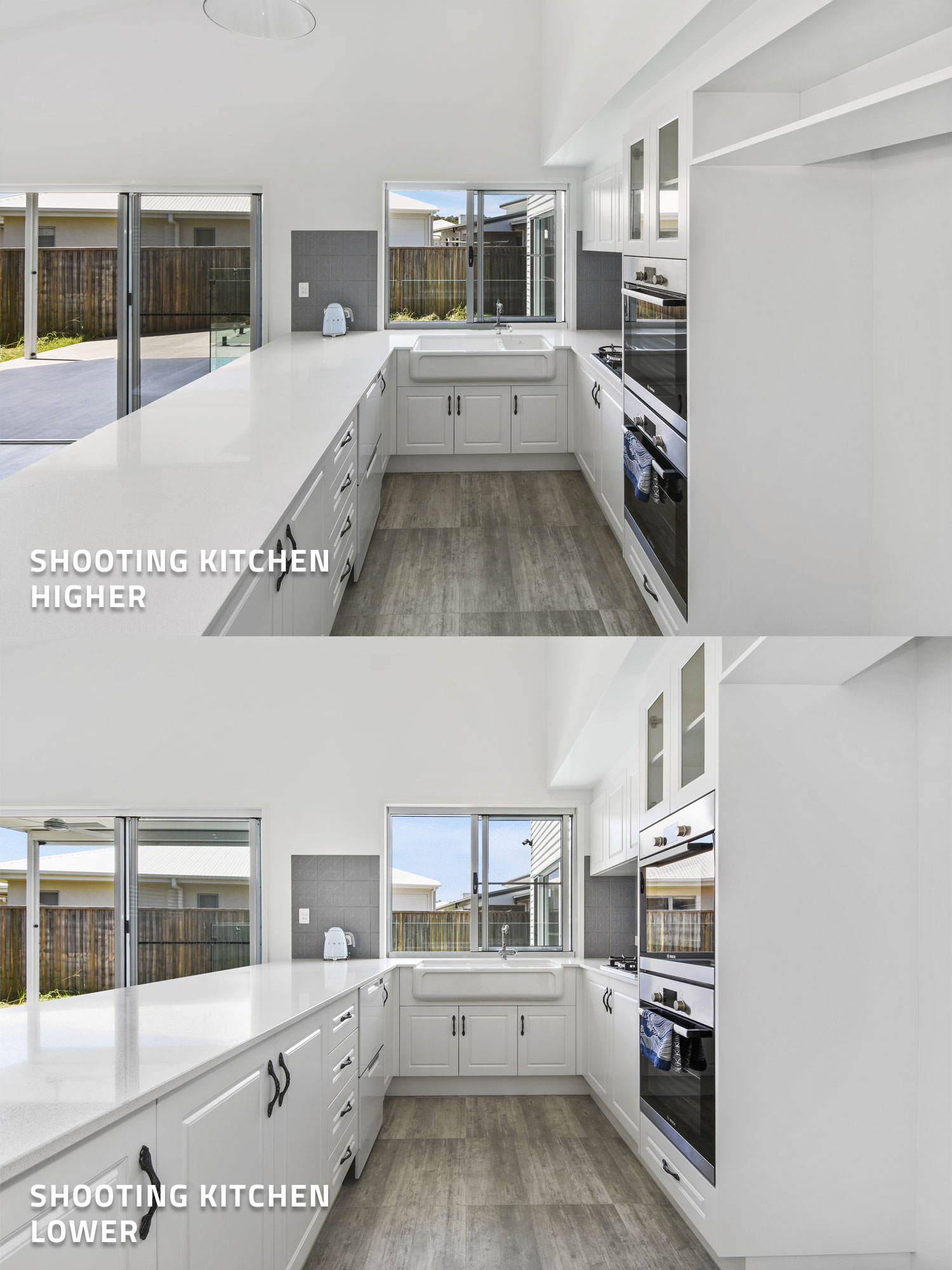
6. Shooting the kitchen higher and lower
When photographing kitchens, it’s always safe to shoot at eye height (as this is how the buyer will see the property). However, try experimenting by shooting a little bit lower. This will create an architectural style shot which can be very appealing.
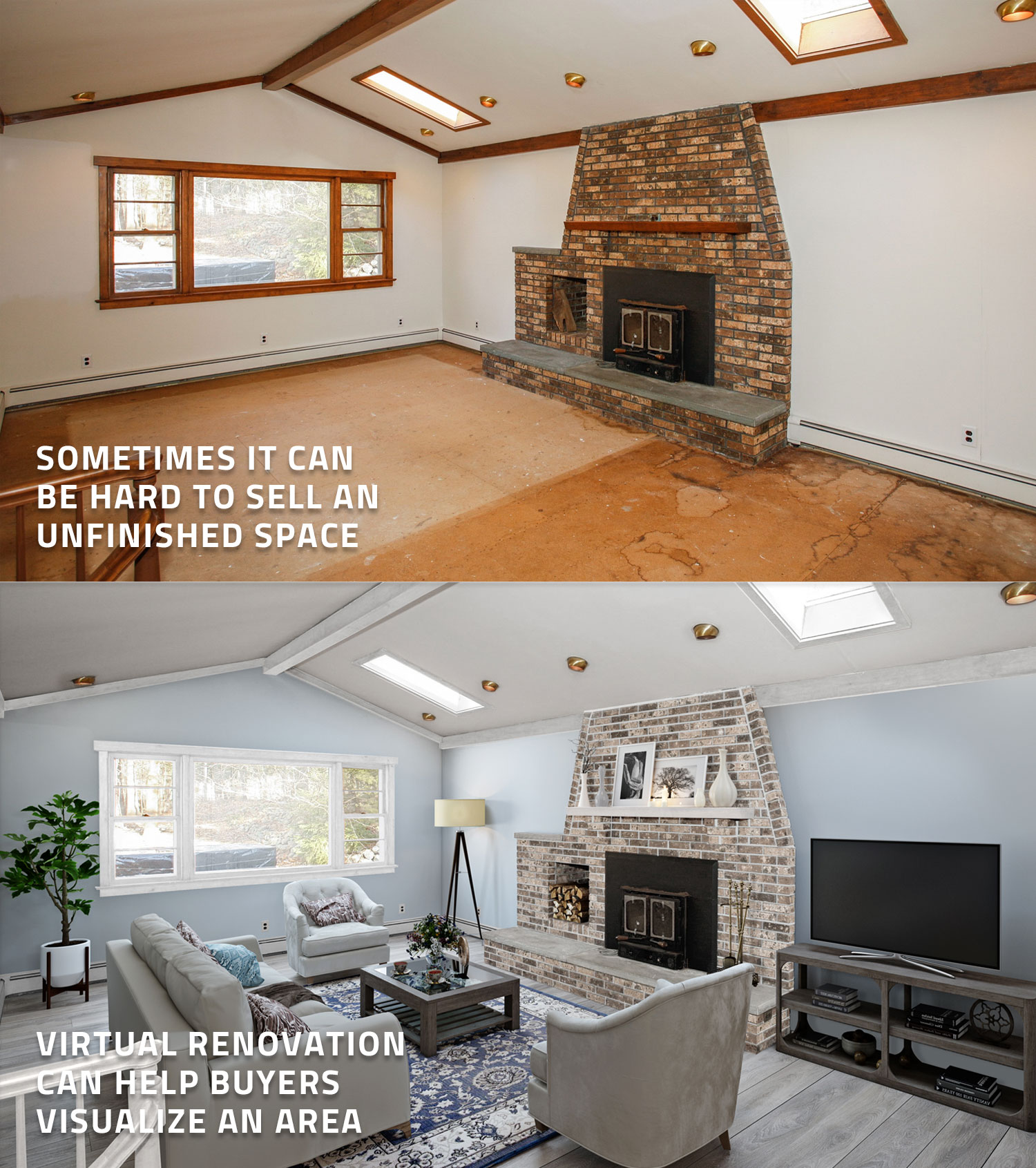
7. Using virtual landscaping to help showcase a property
If you’re trying to sell a property that has a neglected outdoor area, consider virtually landscaping the space. Virtual landscaping is where a photo of an unfinished space is digitally renovated to make it look complete. It essentially acts as a visual tool to help buyers visualize what their future home could look like if they spend a few extra dollars renovating it.
Virtual landscaping can be used to finish off tiling, laying new grass, new decking, or even adding a virtual pool to show the potential of a space.
You will find this edit under our Virtual Renovation service.
8. How to shoot when the sun is harsh
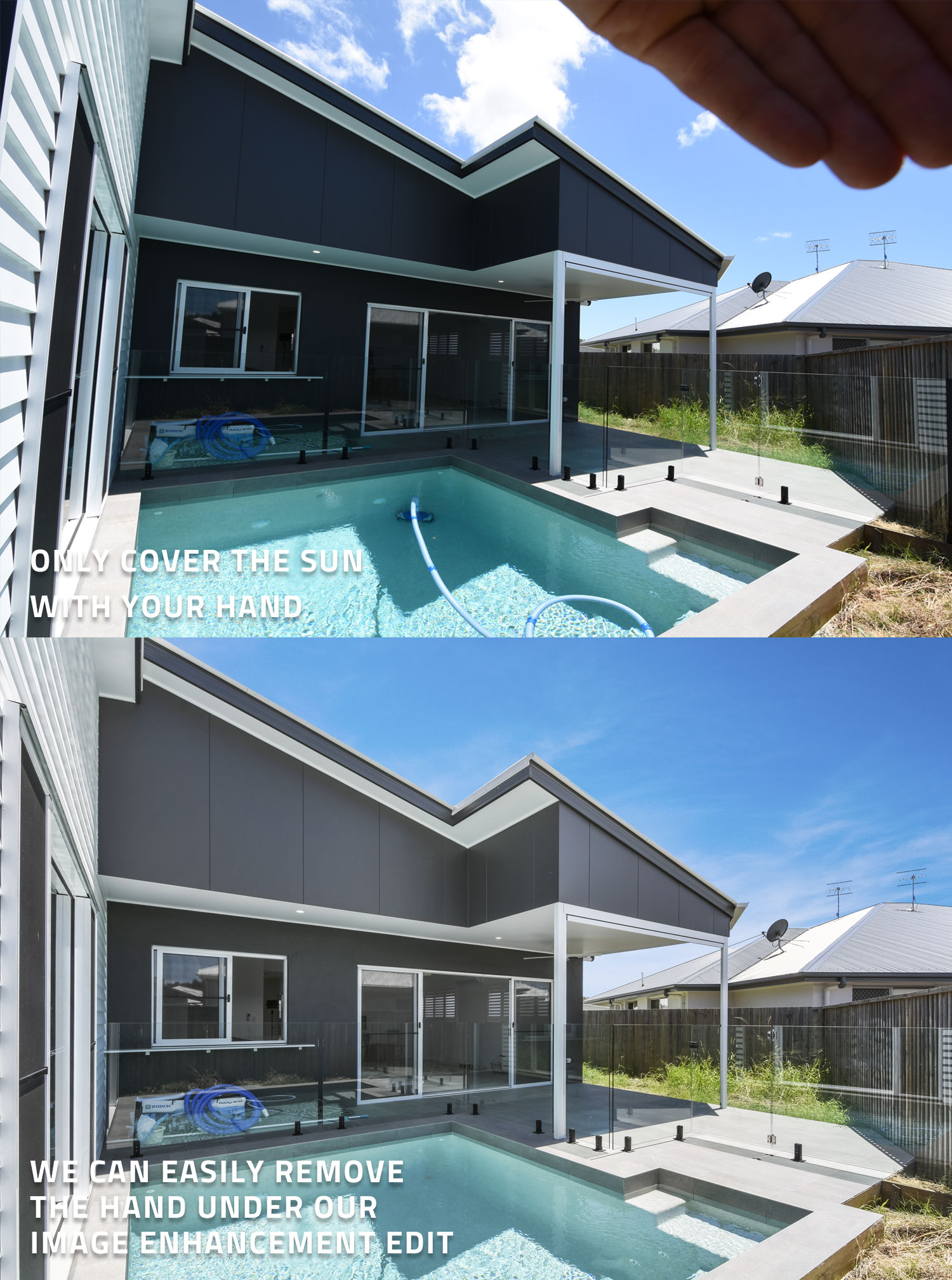
When shooting outside, the sun can easily spoil your image by creating a lens flare effect on your image. To prevent this, you can use your hand to block the sun. Make sure that your hand only covers the sky, never over the house or tree foliage. We’ll then edit out your hand using our image enhancement service.
9. NEW! Virtual staging (Hamptons style) to help sell your listing
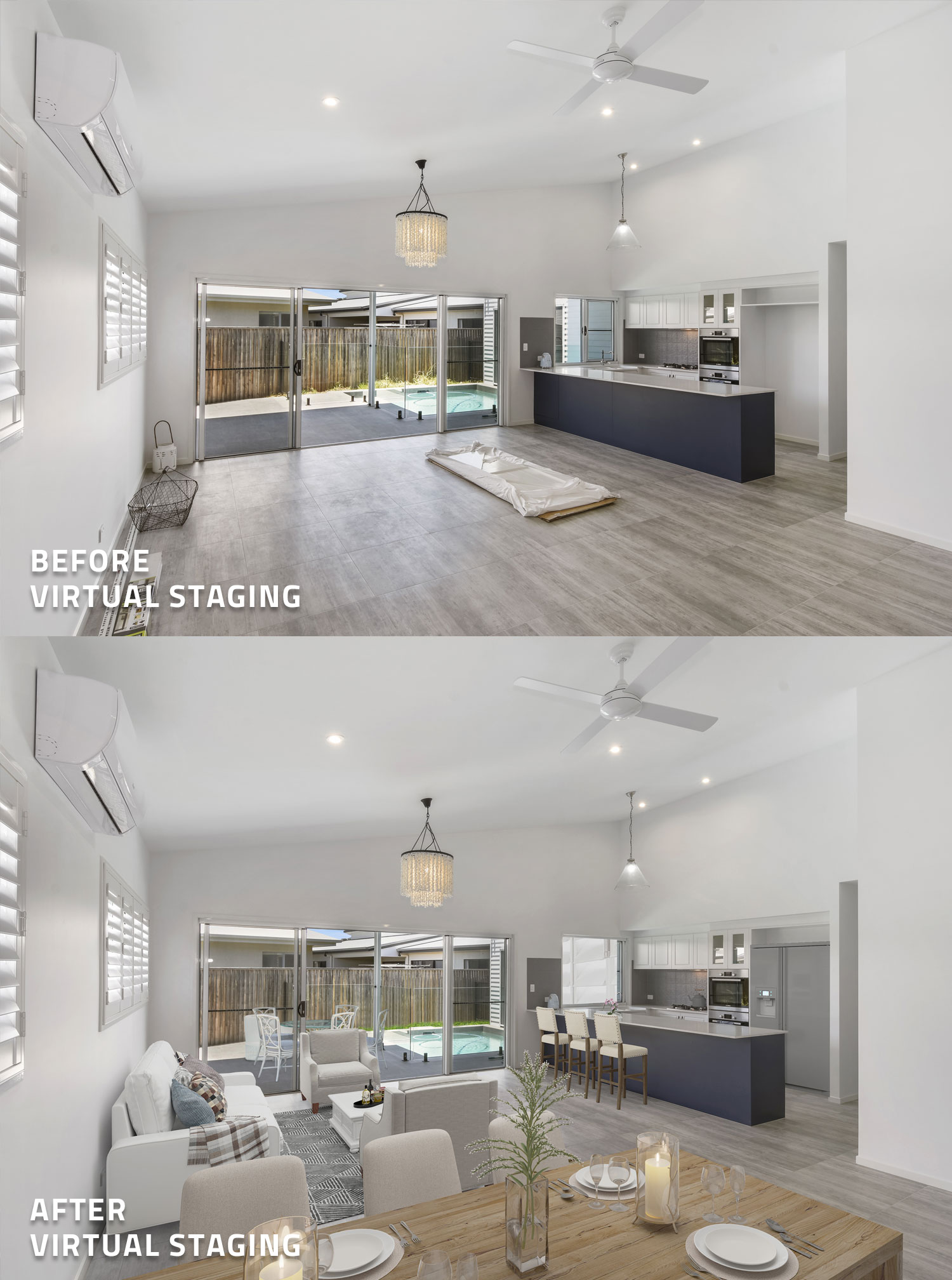
We’ve just released a new virtual staging style called “The Hamptons” and it’s simply stunning! We now offer 6 different virtual staging styles that can be matched to any type of house.
Virtual staging is a great way to showcase to buyers what a vacant property could look like with furniture. Studies have also indicated that homes that are staged sell 75% than those that are not.
You can check out our Hamptons style virtual staging edit here.
RELATED ARTICLES

Ready to stand out and get more leads? Explore five free BoxBrownie.com resources designed to help you capture better photos, streamline your workflow, and create standout listings that drive faster results.
READ MORE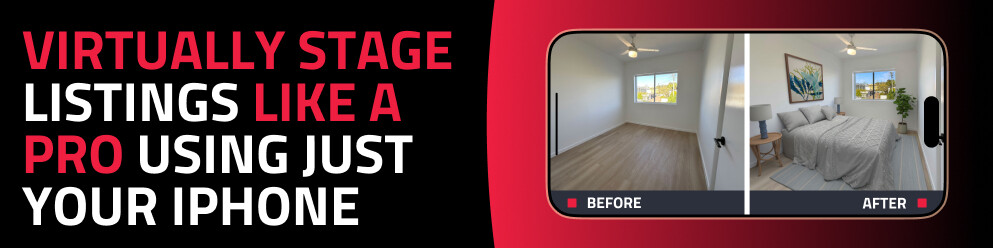
Discover how to virtually stage any property using just your phone with the SnapSnapSnap app. Capture, enhance, and transform empty rooms into beautifully styled spaces in minutes — no expensive equipment or experience required.
READ MORE
Prepare, position, and polish your short-stay property photos with pro tips from Brad. He’ll guide you in making the most of natural light, mastering steady framing, applying strategic editing, and more to present every room at its best—drawing in more guests effortlessly.
READ MORE
First impressions count, and high-quality photos can set your short-term rental apart from the competition. Follow these expert tips to declutter, stage, and light your property to showcase its best features.
READ MORE
Pre-market listings on platforms like Zillow present a powerful opportunity to drive early buyer interest, generate competitive bids, and secure higher sale prices. SnapSnapSnap is key to easily achieving this with your phone – find out how this app fuels faster sales!
READ MORE
In our latest video, our co-founder Brad Filliponi shares expert insights on creating a captivating 360° Virtual Tour for real estate listings, from preparing the property to editing the photos.
READ MORE