HOW TO VIRTUALLY STAGE A FURNISHED LISTING
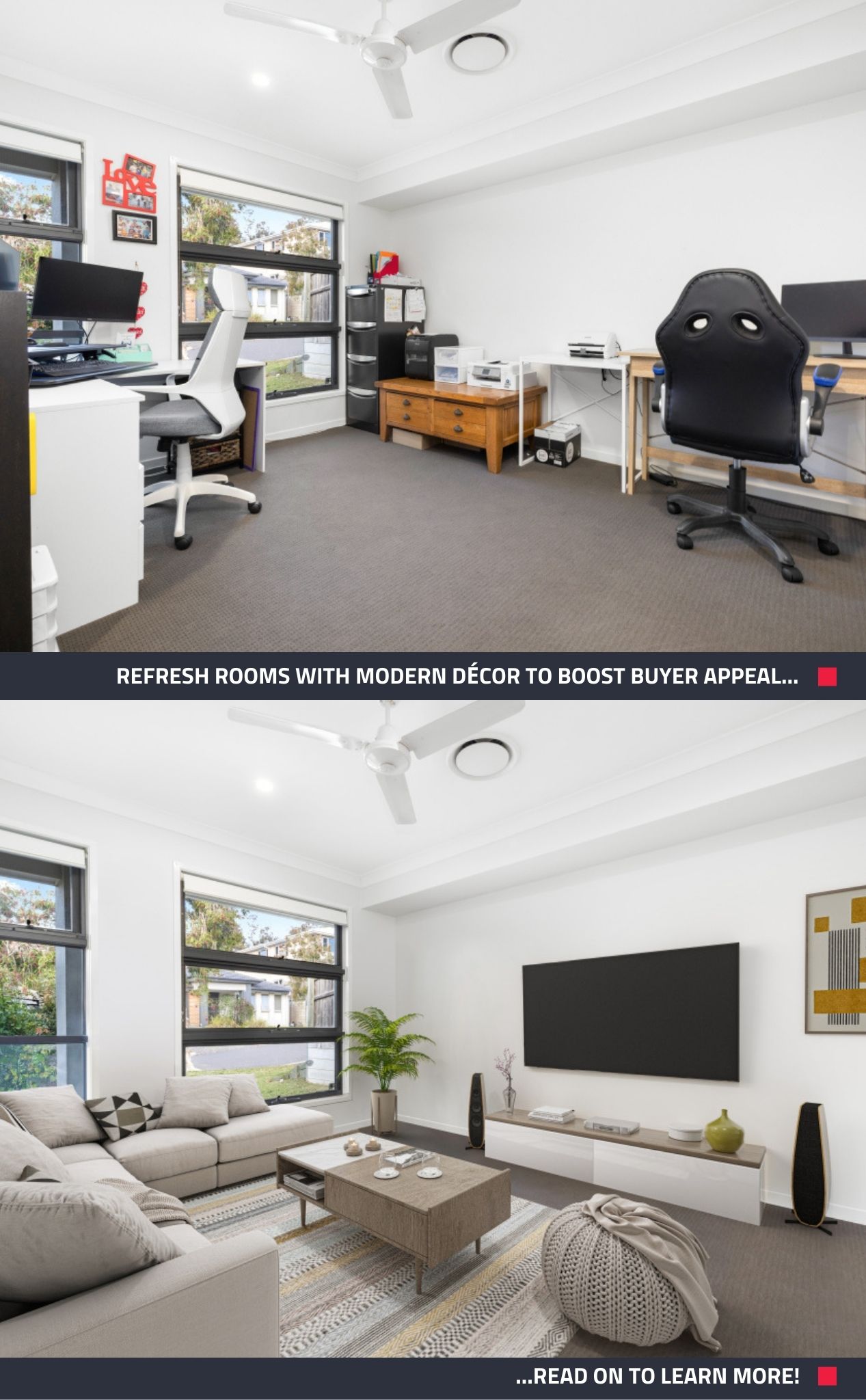
When selling property, Virtual Staging isn’t just for empty rooms; it can transform even fully furnished homes. Digitally redecorating with updated furniture and décor can modernize outdated spaces and significantly boost buyer appeal.
We’ll walk through how to virtually stage a furnished listing using our services, with tips to maximize results.
Why Virtually Stage an Already-Furnished Listing?
Even if a property is furnished, its current décor might not be doing you any favors. Perhaps the furniture is dated, overly personal, cluttered, or doesn’t match the home’s style.
Virtual Staging lets you refresh the space without physical refurnishing by digitally replacing unwanted or outdated items with stylish décor. This helps buyers visualize the home’s full potential. According to research by the National Association of Realtors (NAR), staging a home makes it easier for buyers to picture it as their own, according to 83% of buyers’ agents.
While 43% of buyers start their home search online, over 90% use the internet at some stage — making eye-catching photos essential to attract attention, generate inquiries, and sell faster (National Association of REALTORS®, 2024). Virtual staging provides those impactful visuals, making your listing stand out from the competition and potentially sell sooner and for more.
Ready to make your furnished listings stand out with Virtual Staging? Here’s how!
How to Virtually Stage a Furnished Listing
1. Ensure Your Images Are Suitable for Virtual Staging
Before you begin, make sure your images are high-resolution and well-lit. Whether you take the photos yourself or collect them from a professional photographer, the quality of your images has a big impact on the final staged results. Clear, detailed photos make your virtual staging look more realistic and appealing to potential buyers.
Check out our pre-photography checklist to prep your property for a shoot!
Quick Tip: Our SnapSnapSnap app makes it easy to capture and upload professional-quality images directly to your BoxBrownie.com account.
2. Upload Your Photos
From your Members’ Dashboard, start a Virtual Staging job:
- Upload the room photos you want staged
- Select the room type (Bedroom, Kitchen, Living/Dining, Study, etc.)
- Choose a furniture style (Modern, Farmhouse, Scandinavian, or more)
- Add notes or reference images for layouts, furniture placement, or specific items
This ensures your staged images match the vision you want buyers to see.
3. Add Item Removal & Virtual Cleaning
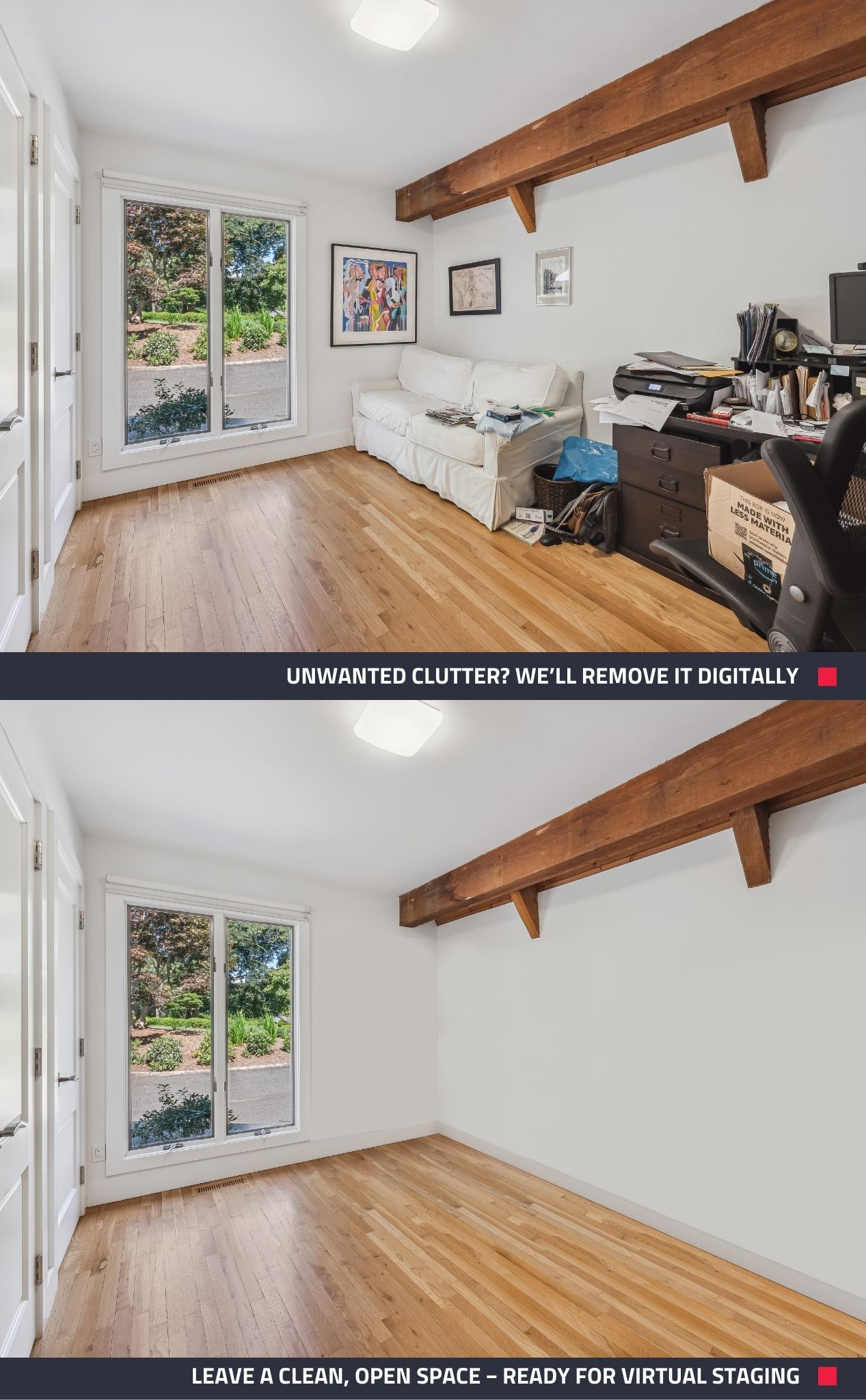
If your photos include unwanted furniture or clutter, this step clears the space digitally:
- Select Standard Item Removal & Virtual Cleaning as an add-on
- Use the markup tool to highlight what should be removed — from small items to entire rooms
- Pricing: Standard removals (including removing a room full of furniture) start at just US$8 per image, with smaller edits starting at US$4.
4. Add Image Enhancement
In your Virtual Staging job, add Image Enhancement to fix 17 key elements in every photo and achieve professional, polished results, including:
- Brighten rooms – Adjust brightness and contrast to make spaces look light and inviting.
- Correct colors – White balance, tone adjustments, and brightness/contrast ensure natural, true-to-life hues.
- Sharpen details – Enhance clarity and crispness for a flawless finish.
Cost: Just US$1.60 per image. With Image Enhancement, every staged photo will look crisp, vibrant, and inviting, giving buyers a flawless first impression.
Tips to Make the Most of Virtual Staging
To ensure your virtually staged furnished listing looks professional and appeals to buyers, keep these tips in mind:
- Choose the Right Style: Match the furniture style to the home and target buyer. A modern condo might suit sleek staging, while a family home benefits from a cozy look.
- Focus on Key Rooms: Prioritize main spaces like the living room, master bedroom, and kitchen.
- Disclose Staging Clearly: Use the Disclaimer Text tool to label staged photos. This approach builds credibility while still delivering the visual impact of a fully staged home.
Transform Your Furnished Listing with Virtual Staging
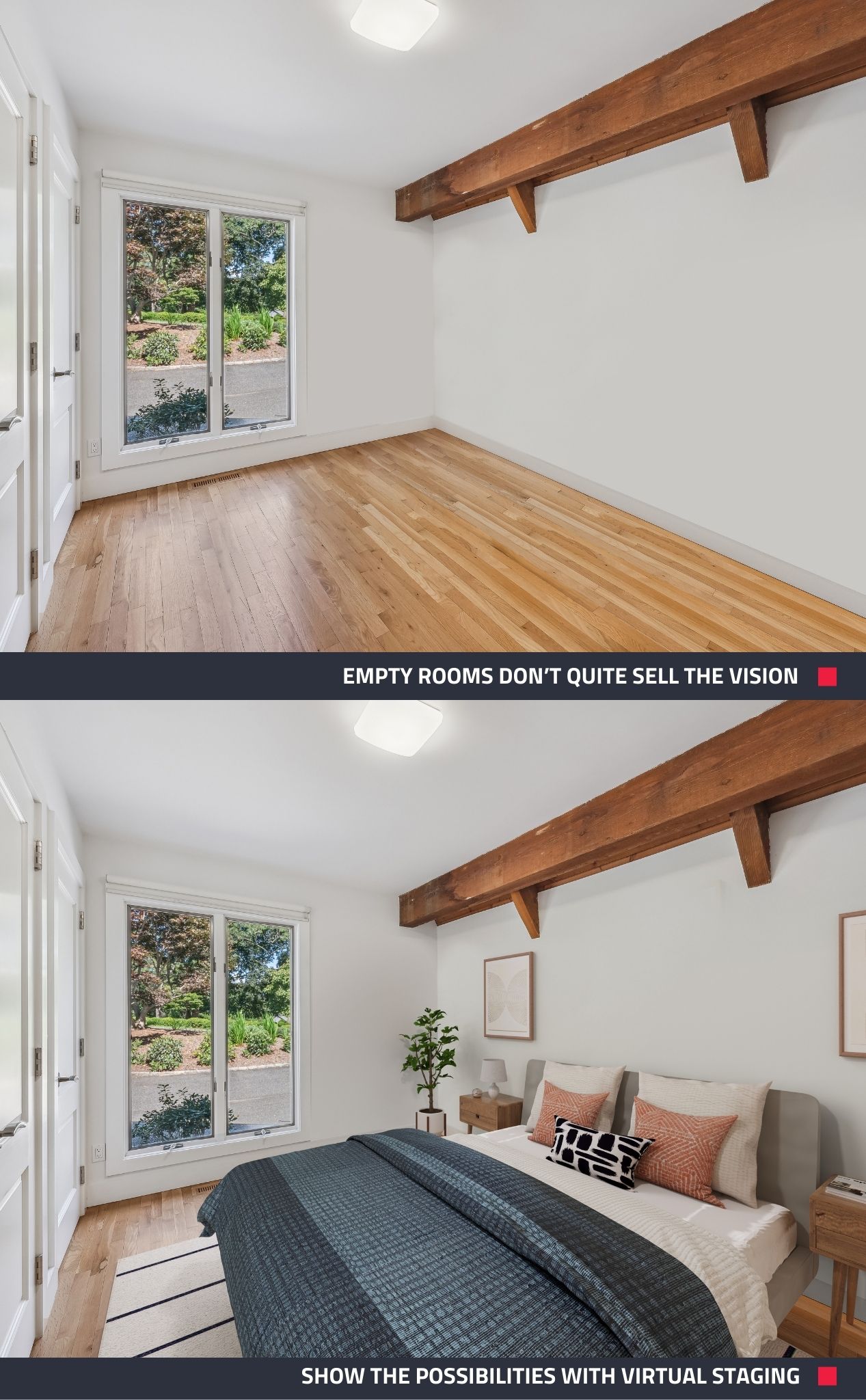
Virtually staging a furnished listing might seem like a technical feat, but with just a few edits, it’s straightforward and incredibly effective. The outcome is a set of listing photos that present the home in its best light – stylish, spacious, and inviting to buyers.
Not only can this strategy lead to higher buyer interest and faster sales, it’s also cost-efficient and convenient. This blend of speed, quality, and affordability is what makes virtual staging such a powerful tool in real estate marketing.
Want to boost interest and sell faster? Try Virtual Staging today! Sign up at BoxBrownie.com to get started.
RELATED ARTICLES

Do you have a property that has been sitting on the market for far too long? That's exactly what happened to Brittiny Howard from EXP Realty. Brittiny's property sat cold on the market for 6 months. Find out how she made a slight change to her advertising which then helped her sell her property only 7 days later.
READ MORE
Jon Sweeney transformed leasing across a 680-unit portfolio by upgrading listing photos. With sharper images and strategic virtual staging, even hard-to-rent units gained traction—cutting vacancy times and driving faster, more consistent leasing results.
READ MORE
If you're an agent who uses video tours instead of Virtual Tours, your listings might not be attracting the interest they should be. Here we look at why buyers increasingly prefer Virtual Tours over video walkthroughs.
READ MORE
From ancient wisdom to the latest research, these five hacks will alter your mindset, dispel your fears and even show you how to make rejection work in your favor.
READ MORE
Smartphone cameras are getting really good these days… but can they take photos good enough for real estate photography? Well, what better way to put it to the test than by shooting a $4.2 million dollar commercial property with a smartphone!
READ MORE
Join Brad as he compares the iPhone 11 with the latest iPhone 15 in a real estate photography shoot-out. Discover the capabilities of the SnapSnapSnap app, helping you determine whether the latest iPhone upgrade is a valuable enhancement for your property photography toolkit!
READ MORE