SHOOTING REAL ESTATE: VIRTUALLY STAGING A 360° VIRTUAL TOUR
Introduction
In today's digital age, potential buyers are turning to online platforms to search for their dream home. As a result, it's more important than ever for agents to showcase properties in the best possible light. 360° Virtual Staging is a cutting-edge way to do just that, however a lot of real estate professionals don’t know how to go about it. Not only does it enhance the visual appeal of a property, but it can also help potential buyers envision themselves living there. In this video blog, we will walk you through the process and show you how easy it is to shoot a house and then 360° virtually stage it. Whether you're a seasoned pro or new to the industry, this is a valuable tool that can help you close more deals.
What We Used In This Shoot:
- Ricoh Theta X (360° camera)
- iPhone 14 Pro
Brad’s 3 Top Tips
- Take reference images of any existing furniture so our editors can match the style
- Pan around the room with the camera to ensure the shot is free from anything you don’t want seen in the final product
- Use the HDR Rendering setting for the highest-quality photos
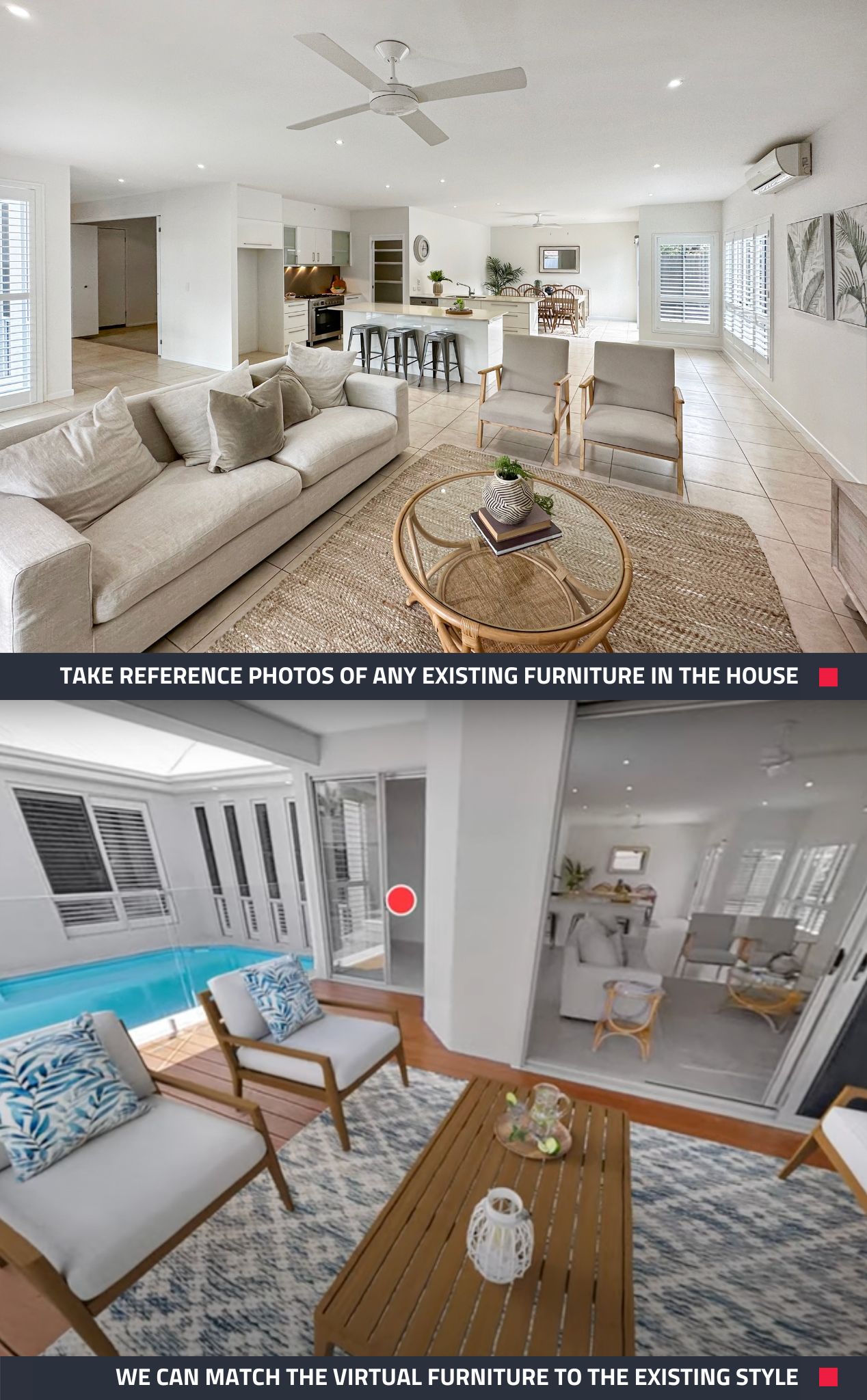
Fantastic Results, Minus The Heavy Lifting
360° Virtual Tours are an engaging and immersive way to let potential buyers fall in love with a property, from anywhere at any time, before they have even physically walked through the front door.
But what happens when you go to shoot a tour and the property is partially or totally empty of furniture?
Empty rooms and homes can have a somewhat cold and abandoned feeling, and the best way to remedy that is by virtually filling them with stylish, photorealistic furniture and décor. By using our 360° Virtual Staging service, potential buyers will be able to fully visualize the potential, become emotionally invested in the property, and understand the scale of the rooms. Virtual staging has a range of benefits and is a powerful marketing tool that can help sell your listing faster.
Have A Peek At The Results...
Check out how this 360° image looks before and after it has been virtually staged.
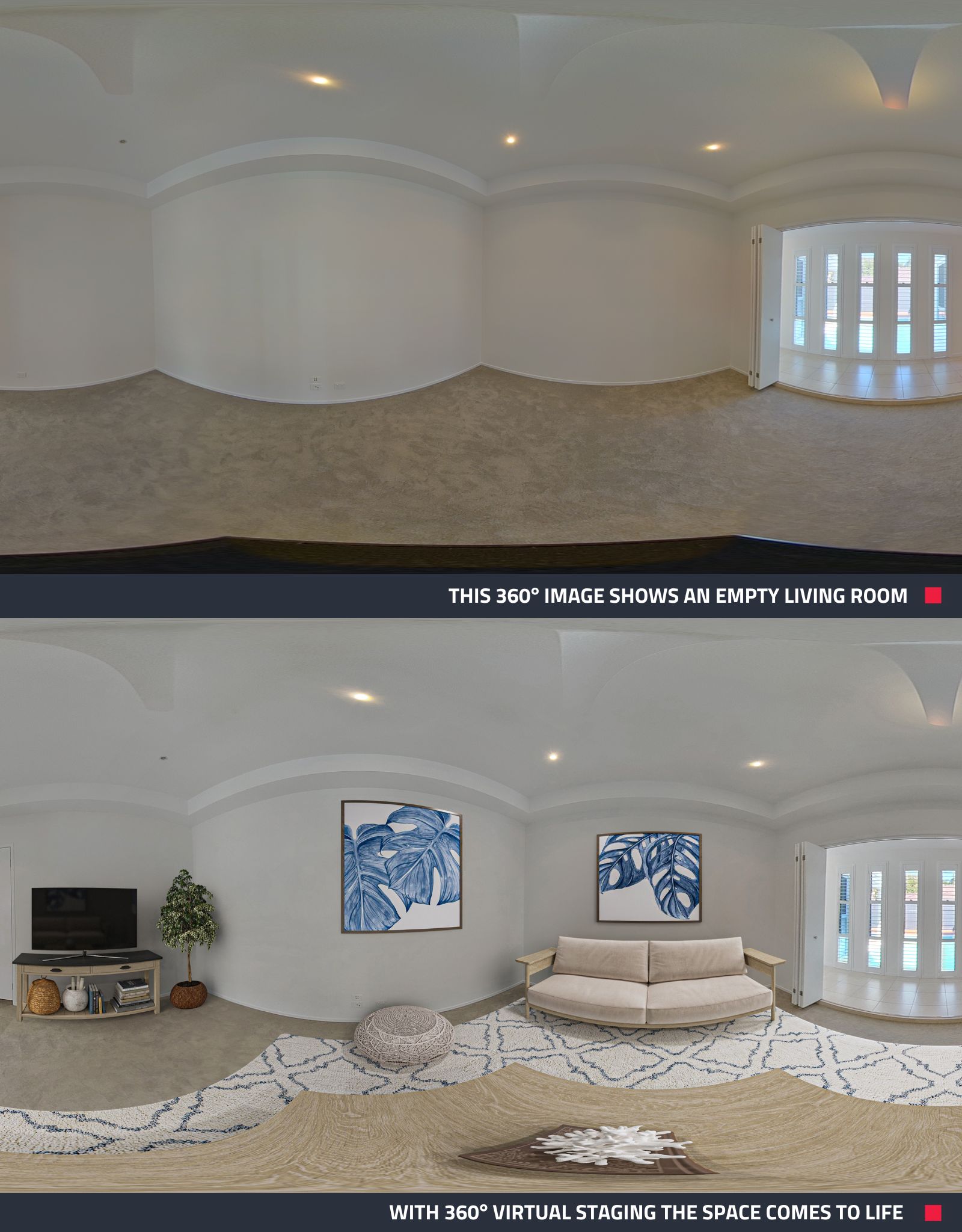
Take a look around in the final 360° Virtual Tour. Have a play with the settings too; there’s even an option on our virtual tour software to turn virtual staging on and off.
Now It’s Your Turn
A 360° Virtual Tour is an important addition to any listing, and virtually staging is the next step you can take to ensure you are getting the most bang for your buck. It doesn’t have to be hard either – using Brad’s tips and our 360° Virtual Staging service makes for a sure-fire way to achieve incredible results. It’s just up to you to give it a go!
New to BoxBrownie.com? You can sign up now and receive 4 edits free. No credit card needed.
RELATED ARTICLES

Prepare, position, and polish your short-stay property photos with pro tips from Brad. He’ll guide you in making the most of natural light, mastering steady framing, applying strategic editing, and more to present every room at its best—drawing in more guests effortlessly.
READ MORE
Sales inquiries are the lifeblood of a successful real estate career. Nothing generates them like exceptional marketing. These 8 tips will ensure that your listings stand out from the crowd and that buyers keep your phone a-ringing!
READ MORE
Learn how colors drive perceptions in real estate marketing, shaping buyers' first impressions of a property. Dive into our blog for a room-by-room breakdown of color psychology's strategic role in maximizing a property’s appeal.
READ MORE
When property listings fail to convert buyers, it is not always price or presentation. It is clarity. Buyers need to instantly understand how the space actually works. Floor plans are key to attracting more qualified buyers and renters. Learn how they make a difference.
READ MORE
Did you know, homes that are staged sell 75% faster than those that are vacant? Virtual Staging has the potential to revolutionize the way you market vacant homes, but the big question is, can you use this powerful tool when shooting a home using a smartphone? In this blog, we compare two smartphones to a traditional DSLR camera to find out.
READ MORE
This blog is a must-read for property managers who want to stand out in a crowded market and revolutionize the way their properties are showcased and leased. Here’s why you should embrace the savvy side of rental marketing with virtual tours.
READ MORE